大家好,我是一箭。今天想和你们分享一个小故事:我如何用不到 10 分钟的时间,写了个小脚本,就收集到成千上万个精准的意向客户邮箱。
事情的起因很简单。最近我在推广自己新开发的 Chrome 插件——智能外链提交助手。为了让新站尽快被搜索引擎收录,我每天都在提交外链。就在这个过程中,我无意中发现了这个宝藏网站:
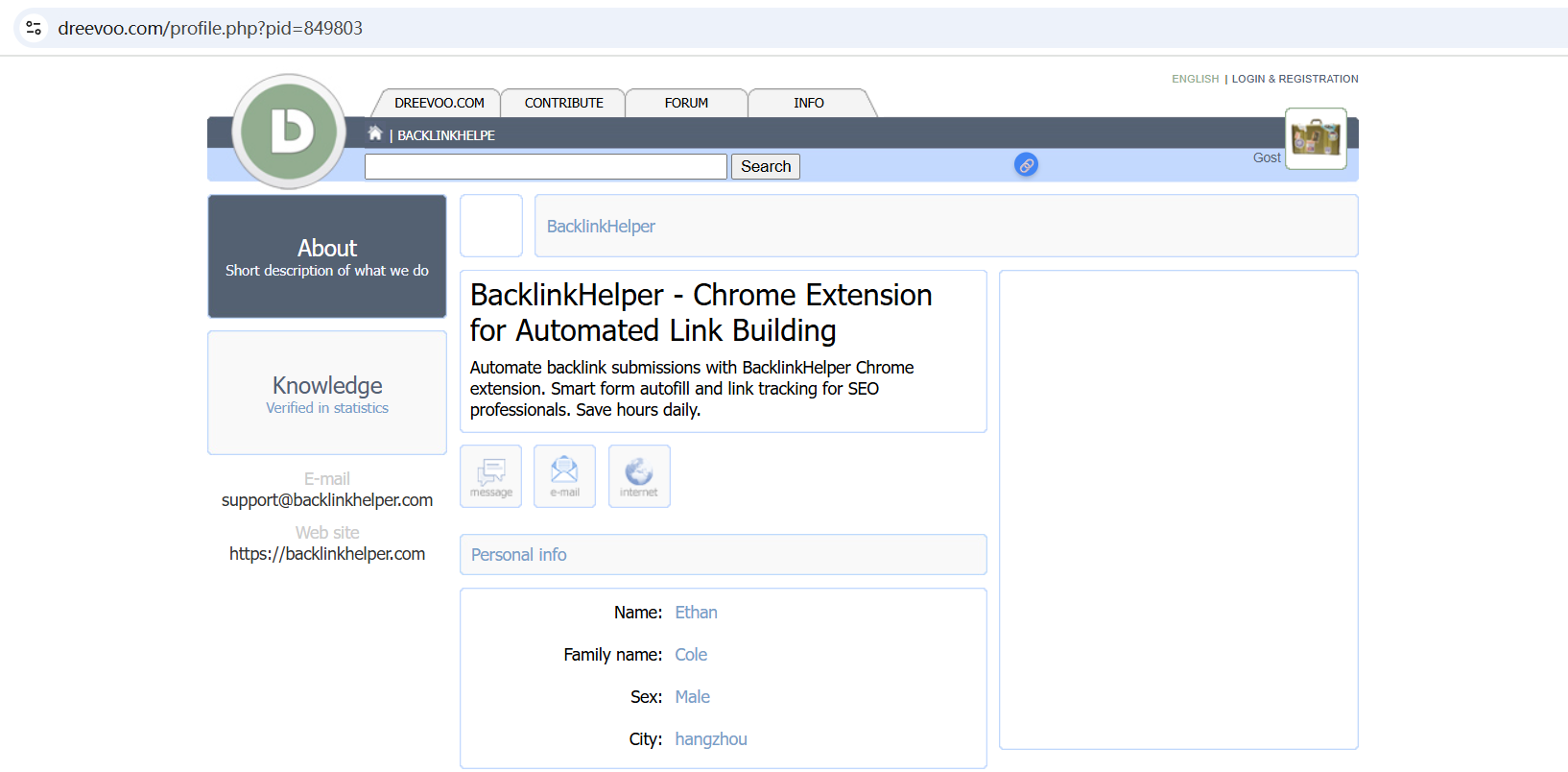
这个网站,用户可以选择公开展示自己的邮箱。更妙的是,它的用户数据是通过自增 ID 控制的:只要改变 URL 里的数字,就能访问不同用户的信息。换句话说——只要写个 for 循环,就能一口气遍历所有用户的数据。
更重要的是,这些用户和我插件的目标客户群几乎完全重合,这意味着——这里简直是一个精准客户的邮箱金矿!
于是我立刻开启了 "vide coding"。
由于只是一个脚本,所以都不需要什么 VS Code、Cursor、Claude Code 这些花里胡哨的 IDE,直接在 ChatGPT 里描述需求,让它帮我生成一段简单的脚本。
提示词:
帮我写个python脚本,https://dreevoo.com/profile.php?pid={id} 读取这个URL地址,获取内容中的邮箱:

和 网站地址:
,其中id从1遍历到849803,输出结果到csv文件
返回代码:
import requests
import re
import csv
from bs4 import BeautifulSoup
from time import sleep
BASE_URL = "https://dreevoo.com/profile.php?pid={}"
OUTPUT_FILE = "result.csv"
START_ID = 1
END_ID = 849803
headers = {
"User-Agent": "Mozilla/5.0 (Windows NT 10.0; Win64; x64)"
}
def extract_info(html):
soup = BeautifulSoup(html, "html.parser")
email_tag = soup.find("a", href=re.compile(r"^mailto:"))
email = None
if email_tag:
email = email_tag.get("href").replace("mailto:", "").strip()
website = None
for a_tag in soup.find_all("a", href=True):
href = a_tag["href"]
if href.startswith("http") and not href.startswith("mailto"):
website = href.strip()
break
return email, website
def main():
with open(OUTPUT_FILE, "w", newline="", encoding="utf-8") as f:
writer = csv.writer(f)
writer.writerow(["ID", "Email", "Website"])
for pid in range(START_ID, END_ID + 1):
url = BASE_URL.format(pid)
try:
resp = requests.get(url, headers=headers, timeout=10)
if resp.status_code != 200:
print(f"[{pid}] 请求失败: {resp.status_code}")
continue
email, website = extract_info(resp.text)
if email or website:
writer.writerow([pid, email or "", website or ""])
print(f"[{pid}] {email} | {website}")
except Exception as e:
print(f"[{pid}] 出错: {e}")
sleep(0.3)
if __name__ == "__main__":
main()
运行时,发现从 ID=1 开始会遇到很多空数据,于是我让 ChatGPT 修改成倒序遍历,这样可以直接抓到最新的活跃用户数据,提示词:
最终代码:
import requests
import re
import csv
from bs4 import BeautifulSoup
from time import sleep
import urllib3
urllib3.disable_warnings(urllib3.exceptions.InsecureRequestWarning)
BASE_URL = "https://dreevoo.com/profile.php?pid={}"
OUTPUT_FILE = "result.csv"
START_ID = 849803
END_ID = 1
headers = {
"User-Agent": "Mozilla/5.0 (Windows NT 10.0; Win64; x64)"
}
def extract_info(html):
soup = BeautifulSoup(html, "html.parser")
email_tag = soup.find("a", href=re.compile(r"^mailto:"))
email = None
if email_tag:
email = email_tag.get("href").replace("mailto:", "").strip()
website = None
for a_tag in soup.find_all("a", href=True):
href = a_tag["href"]
if href.startswith("http") and not href.startswith("mailto"):
website = href.strip()
break
return email, website
def main():
with open(OUTPUT_FILE, "w", newline="", encoding="utf-8") as f:
writer = csv.writer(f)
writer.writerow(["ID", "Email", "Website"])
for pid in range(START_ID, END_ID - 1, -1):
url = BASE_URL.format(pid)
try:
resp = requests.get(url, headers=headers, timeout=10, verify=False)
if resp.status_code != 200:
print(f"[{pid}] 请求失败: {resp.status_code}")
continue
email, website = extract_info(resp.text)
if email or website:
writer.writerow([pid, email or "", website or ""])
print(f"[{pid}] {email} | {website}")
except Exception as e:
print(f"[{pid}] 出错: {e}")
sleep(0.3)
if __name__ == "__main__":
main()
接下来,我把脚本部署到云服务器上,让它自己慢慢跑。ChatGPT应该是考虑到对方服务可能有反爬功能,所以给脚本加了个 0.3 秒的等待时间。大约 5 个小时后,脚本已经抓到了1 万多条数据:
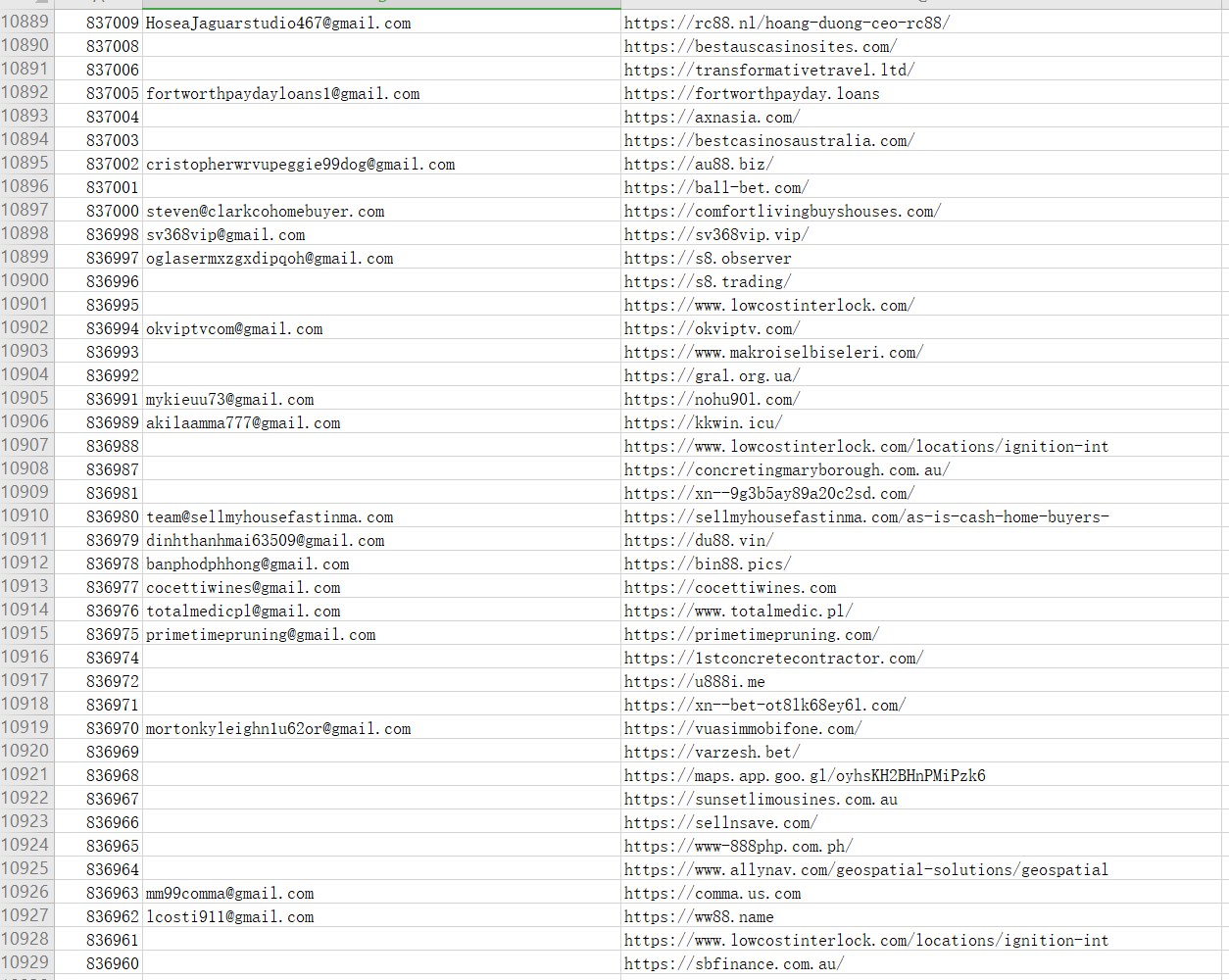
当然,并不是每条记录都有邮箱,于是我直接在 Excel 简单筛选后,得到了4763 个真实可用的邮箱地址:

这个时候脚本才跑到 ID=836960,理论上还有83万条记录没抓完——等它完全结束,至少上万个邮箱。
这个过程让我再次体会到:
- 留意日常中的“小漏洞”,可能就是大机会。
- 有了想法,不要等,10 分钟的动手,能带来远超预期的收获。
- 工具(比如 ChatGPT)用得好,很多事情真的是“手到擒来”。
等脚本跑完,我可能就有一个超大的精准客户名单,这对我插件的推广来说,无疑是个巨大的加速器。
顺便安利一下我的工具,如果你也在做 SEO 推广、外链建设,强烈推荐试试我开发的 Chrome 扩展:https://backlinkhelper.com,专业的自动化外链助手,支持自动识别定位网站表单、表单智能填充、外链管理等等功能,让你的推广效率提升数倍。

Comments on "一次偶遇 + 10分钟代码,让我拿到上万个潜在客户邮箱" :